 Autopilot SEO
How Autopilot SEO works
From broken SEO to a merged fix. Automate the process — no guesswork. Just your site, your GitHub repo, and an AI agent doing the work.
Step 01
Add your website
Create a project and paste in your website URL. You can add as many pages as you like, or use the full-site crawler to map and queue your entire site automatically.
Step 02
Run a full SEO audit
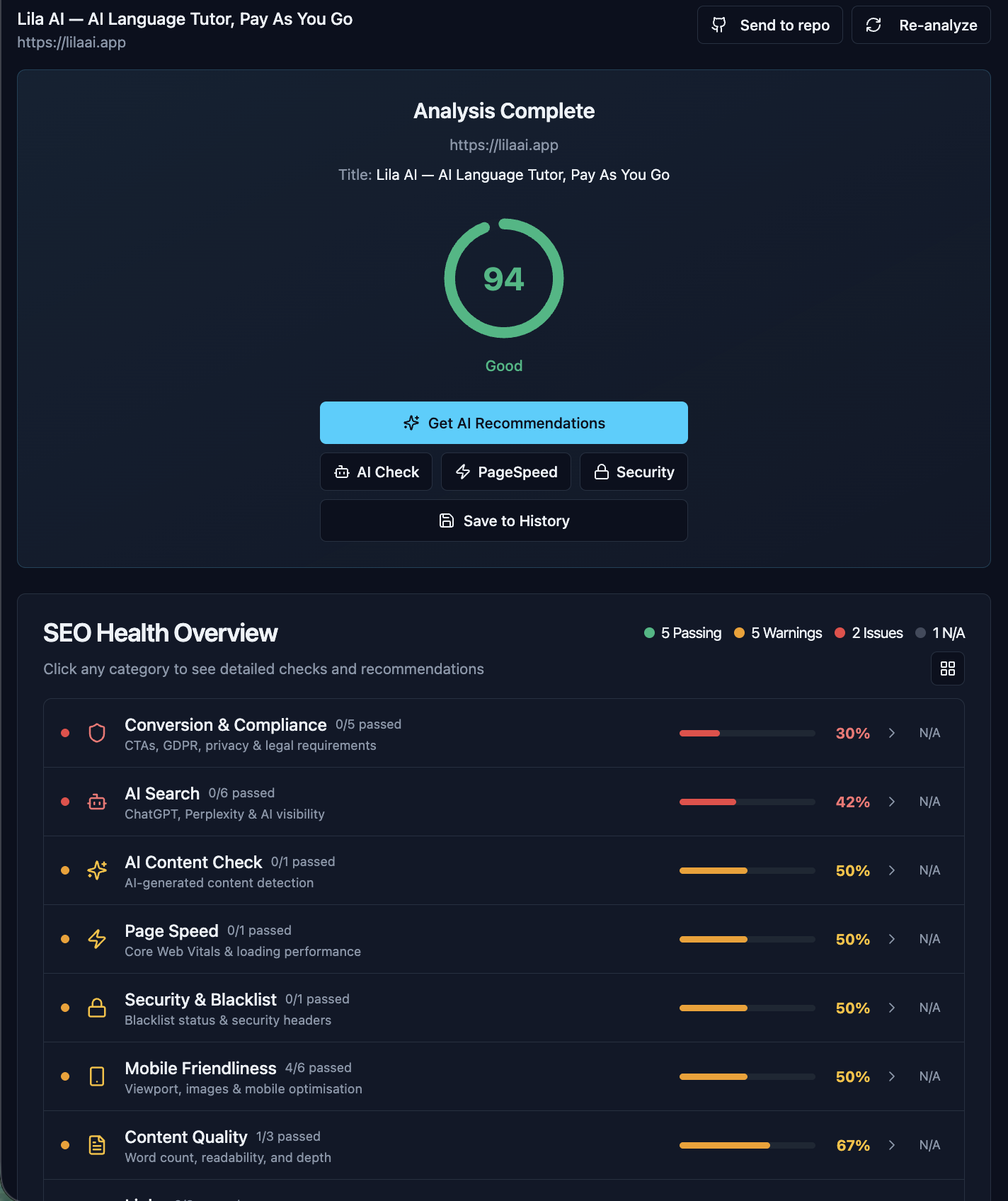
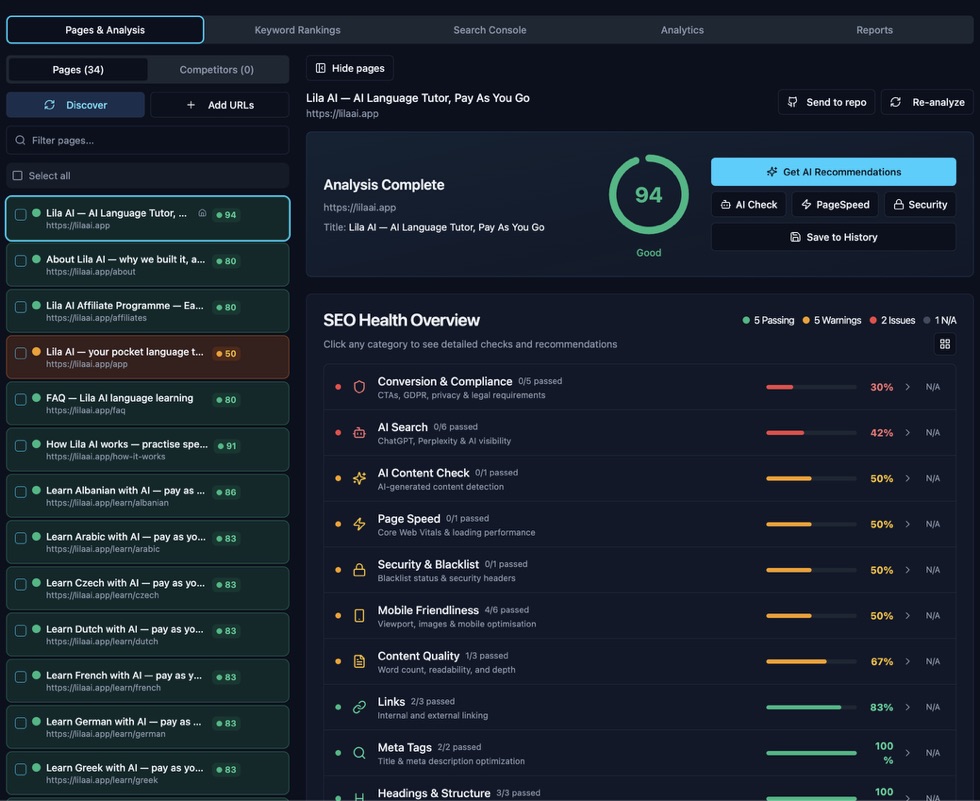
Click Analyze. Within seconds we crawl the page the same way Google does and check it against 20+ SEO factors — titles, headings, images, speed, mobile, cookies, schema, backlinks, and more.
Step 03
See your score and issues
Every page gets a traffic light score (0–100). Issues are ranked by severity — red means fix this now, amber means it's hurting you, green means you're good. No fluff, no filler.
Step 04
Connect your GitHub repo
Link your repo once via GitHub OAuth — no tokens to manage, no copy-pasting. Takes about 30 seconds. If you prefer, a personal access token works too.
Step 05
Push any issue to GitHub
Click the GitHub button next to any issue. We instantly create a detailed GitHub Issue in your repo with the exact problem, why it matters, the current value, and a step-by-step fix written for an AI agent.
Step 06
Your AI agent fixes it
Claude Code, GitHub Copilot, or any agent monitoring your repo picks up the issue, writes the code fix, and opens a pull request automatically. No code from you required.
Step 07
Review and merge
You get notified when the PR is ready. Preview the fix on a branch, check it looks right, and merge. The fix goes live on your next deploy.
Step 08
Re-analyse and confirm
Run the audit again on the updated page. The issue disappears from your report and your score goes up. Rinse and repeat until you're in the green.
Watch your rankings climb.
After each fix, re-run your keyword checks and watch positions move. Trend charts show you whether you're heading in the right direction.
What every audit checks
20 checks run automatically on every page. Here's exactly what we look at and why.
Title & meta description
Length, presence, keyword inclusion
Heading structure
H1–H6 hierarchy, missing or duplicate H1s
Readability
Flesch-Kincaid grade level
Word count
Thin content detection (<300 words)
Internal & external links
Link counts and presence
Image alt text
Missing alt attributes
Open Graph image
Social/text sharing preview image
HTTPS & security headers
SSL, CSP, X-Frame-Options
Schema.org markup
Structured data for rich snippets
Cookie consent
GDPR/CCPA compliance check
Privacy policy
Legal page detection
Call-to-action
Conversion element presence
Contact information
Phone, email, or contact form
Intrusive popups
Google mobile penalty check
Mobile friendliness
Viewport, touch targets, image sizing
Core Web Vitals
LCP, CLS, FID via PageSpeed Insights
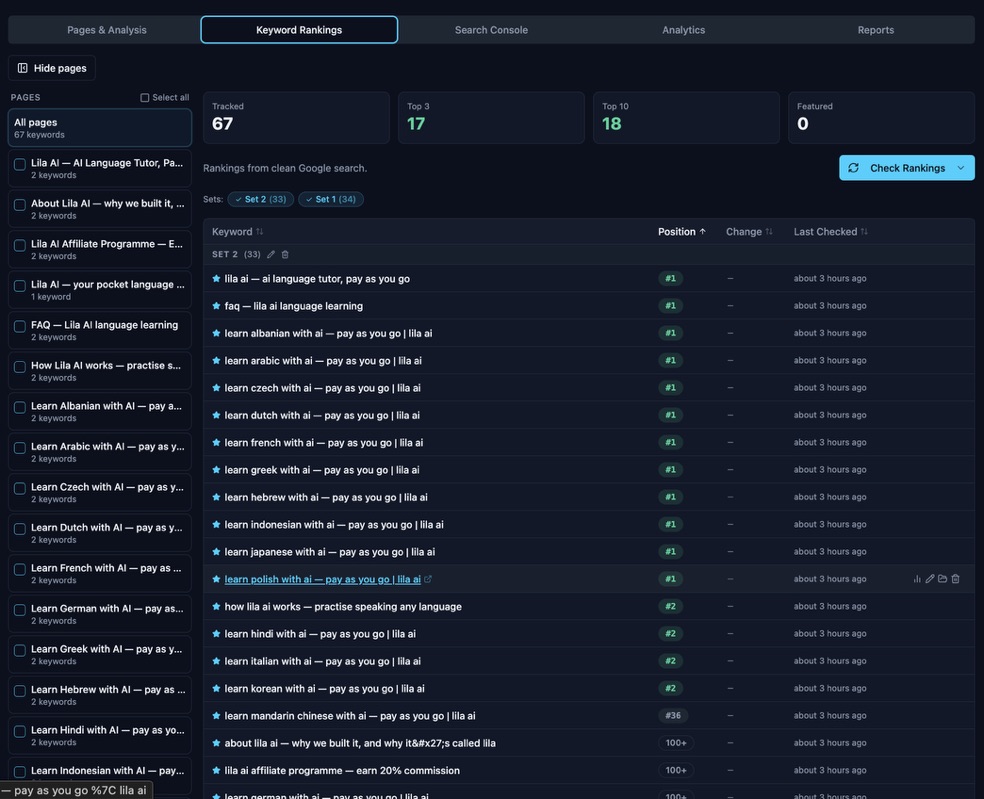
Keyword rankings
Google position per keyword, tracked over time
Domain authority
DA score and trust rank via DataForSEO
Backlink profile
Total backlinks and referring domains
AI content detection
AI-generated text probability score
Ready to try it?
Works with Claude Code, GitHub Copilot, or any agent that reads GitHub Issues. No lock-in.